


What Is a Fake Dashboard and How It Is Used in Sales and Client Demos
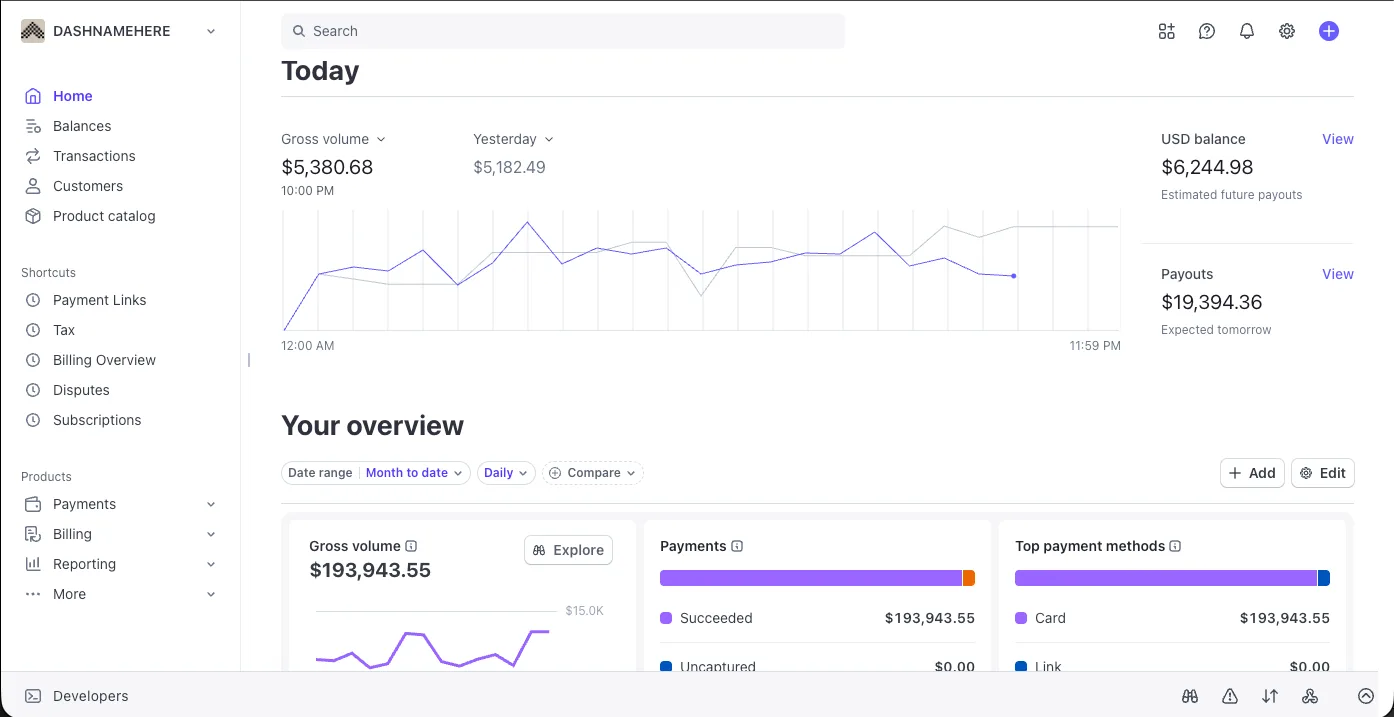
Fake dashboards are pixel-accurate demo environments that visually mirror real platforms like Stripe, OnlyFans, Shopify, Infloww, and Fanvue. They are used in presentations, walkthroughs, and investor previews to showcase platform capability without exposing live, sensitive account data.
The Power of Demo Environments
In modern SaaS and agency sales, showing is more effective than telling. However, businesses often face a dilemma: they cannot show real client accounts due to strict privacy laws and NDAs.
A fake dashboard solves this by providing a controlled environment. Unlike static screenshots, these are interactive web pages that look, feel, and behave exactly like the source platform.
Why pixel accuracy matters:
- Maintains immersion during live presentations.
- Builds authority by showing a professional setup.
- Prevents "fakeness" from distracting the buyer.
Select a Demo Directory
Explore high-fidelity, interactive demo environments.
Fake Stripe Dashboard
The industry-standard payment processor dashboard, perfectly mirrored for professional financial walkthroughs.
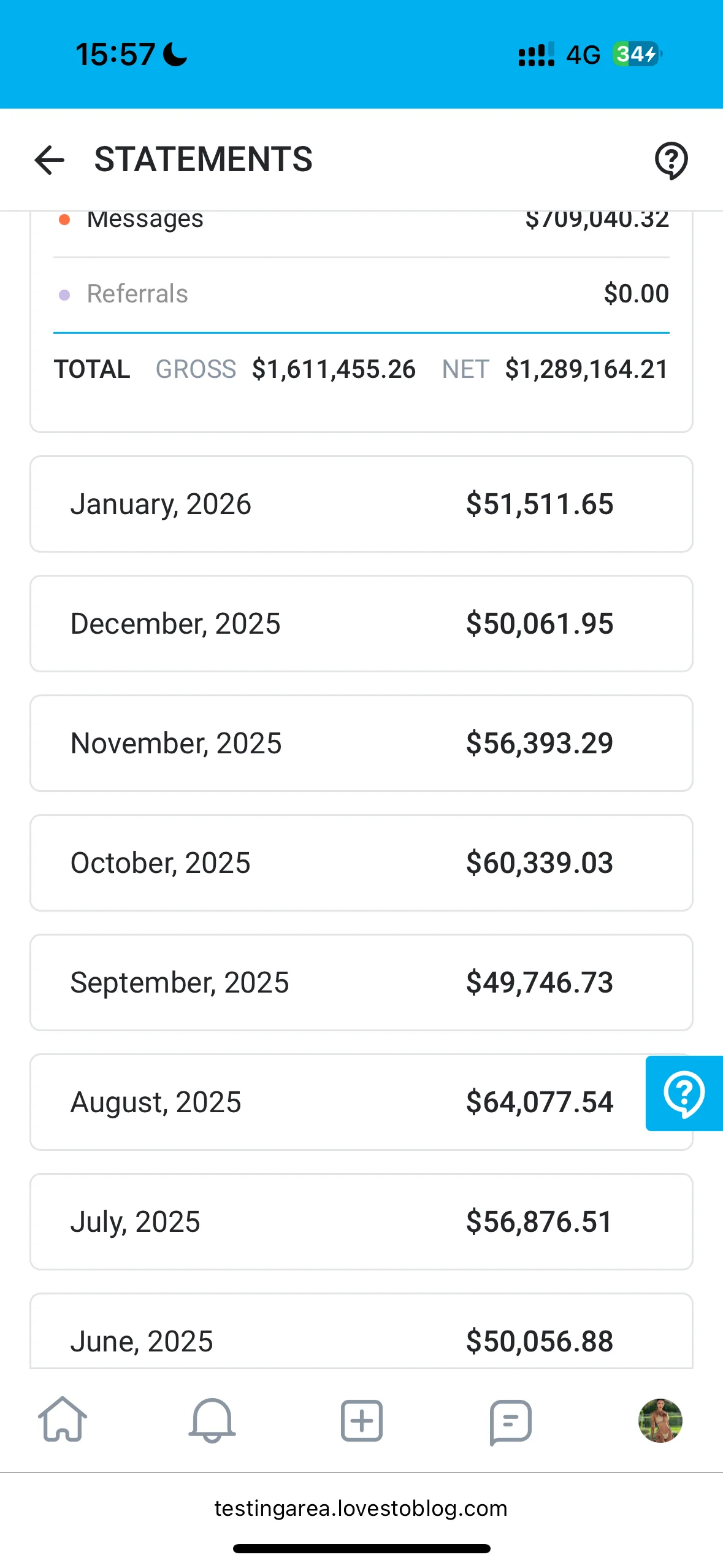
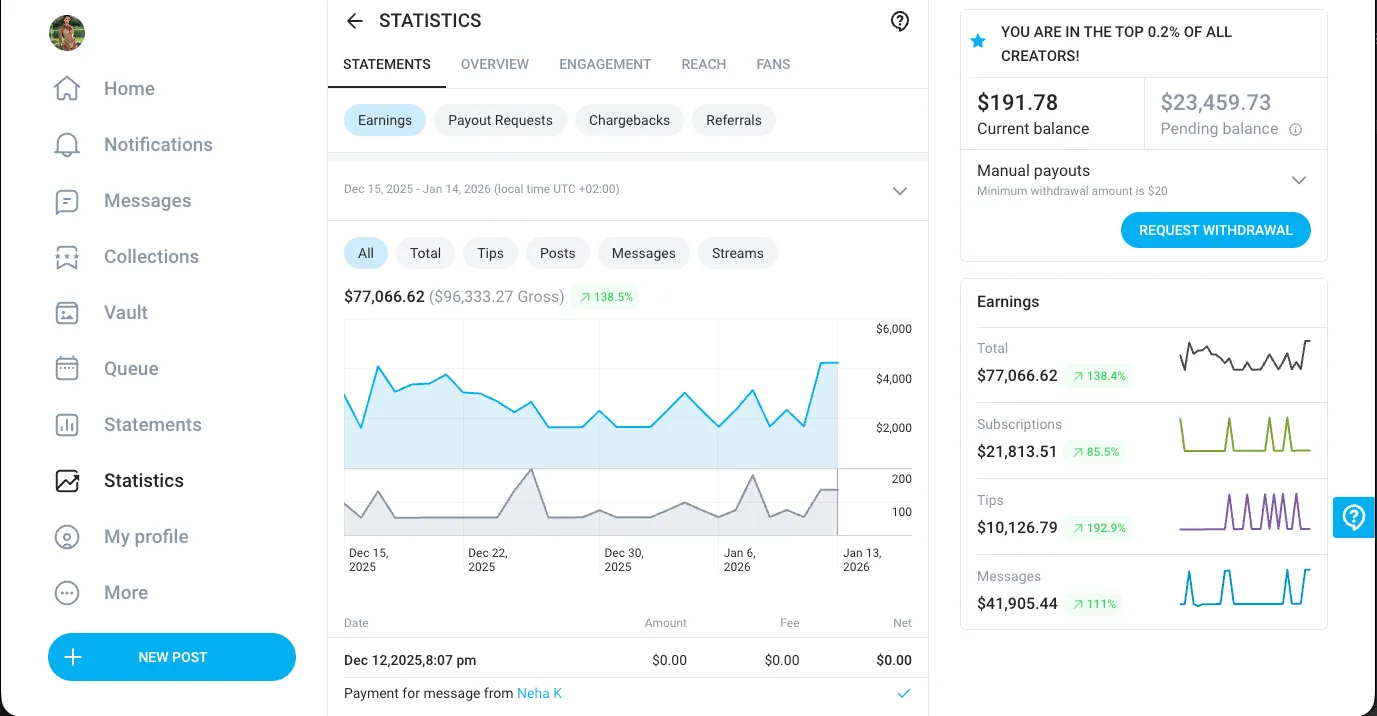
Fake OnlyFans Dashboard
A pixel-accurate representation of the creator dashboard for agency performance walkthroughs.
Fake Shopify Dashboard
Comprehensive e-commerce analytics dashboard for showcasing store management and sales scaling.
Fake Infloww Dashboard
Precision-crafted agency management interface for demonstrating high-volume account control.
Fake Fanvue Dashboard
Exact visual duplicate of the creator platform interface for sales and partner demonstrations.
Fake OFM Dashboard
The agency command center that mirrors the Infloww, OnlyFans and Fanvue views in one place, built for recruitment pitches, sales walkthroughs and portfolio demos.
Fake Phantom Dashboard
A mobile-accurate mirror of the Phantom crypto wallet for portfolio walkthroughs, content and presentations.
Fake Facebook Dashboard
A pixel accurate mirror of Meta Ads Manager for agency pitches, client reporting and presentations, with every figure editable.
Visual Proof & Pixel Accuracy
Our dashboards aren't just approximations. They are built using the exact CSS and HTML structures of the target platforms. This ensures that every shadow, font weight, and border radius is identical to what your clients see daily.
Mirror UI Structure
One-to-one mapping of navigation, headers, and grid layouts.
Cross-Device Accuracy
In many sales situations, you might need to show a dashboard on a tablet or mobile device. Our environments are fully responsive. They don't just "shrink" content, they mirror the actual responsive breakpoint logic of the platform, shifting the layout exactly as the real site would.
Built for High-Level Demos
Forget static PDFs. These are dynamic, editable assets.
Editable Numbers
Instantly change gross revenue, net volume, and conversion rates directly in the browser.
Dynamic Charts
Visual graphs update in real-time as you modify data points, providing a seamless visual experience.
Smart Calculations
Input core metrics and watch our smart calculation logic automatically recalculate the entire dashboard across all views.
Business & Demo Use Cases
Sales Calls
Close high-ticket clients by showing a professional dashboard environment.
Client Demos
Walk through reporting structures without showing other clients data.
Investor Previews
Present hypothetical growth models in a visual UI investors trust.
Internal Presentations
Train teams on UI flows using a safe, sandboxed environment.
Explore Fully Editable Demo Dashboards
Join thousands of high-converting sales teams using Dashmock to win bigger deals.
View Dashboards on Dashmock